Three tape voices.
Normal is darker and saturates sooner. Chrome balances headroom and bandwidth. Metal gives you the most headroom and an open top end. Choose the character, then push Drive to taste.
TOOLS THAT MOVE SOUND FORWARD.
VINTAGE COLLECTION / SHARK CASSETTE
The feel of a vintage cassette deck, with rounded peaks, textured harmonics and just enough instability to make a sound move.
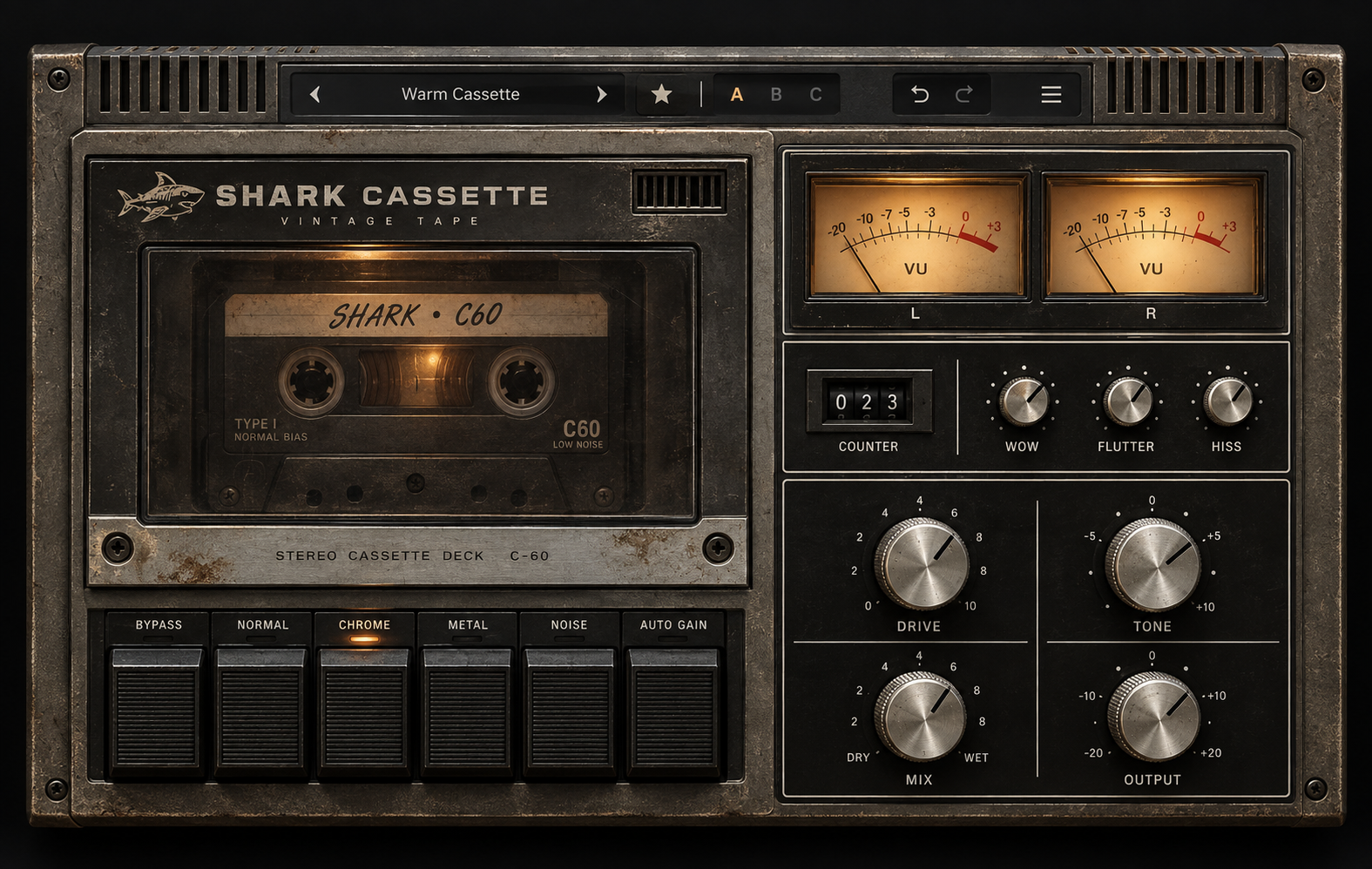
NORMAL · CHROME · METAL / 42 FACTORY PRESETS
MAKE IT YOUR TAPE
Normal is darker and saturates sooner. Chrome balances headroom and bandwidth. Metal gives you the most headroom and an open top end. Choose the character, then push Drive to taste.
Wow adds slow pitch motion. Flutter adds faster instability. Hiss has its own level and a separate Noise switch, so the texture stays optional.
Shape Tone, blend with Mix and set Output. Auto Gain helps compare RMS levels; A/B/C snapshots, undo/redo and 42 factory presets keep your favorite settings close.
READ & DOWNLOAD
Start with the overview, then explore the controls, presets, meters and practical workflow.
QUICK FAQ
Practical answers about cassette color, noise, modulation and level.
It adds cassette-inspired saturation, tape-type coloration, optional hiss, and slow or fast pitch movement to audio in your DAW.
Set Wow and Flutter to zero and leave Noise off. Start with modest Drive, then compare with Bypass at a similar listening level.
Normal is darker and saturates sooner. Chrome balances headroom and bandwidth. Metal has the most headroom and the most open top end.
Hiss is audible only when Noise is enabled. Noise is off by default; changing tape type does not switch it on.
No. It gradually compares RMS levels and helps compensate for level changes. Use Output and your DAW meter to manage peaks; this is not a limiter.
The dry path is latency-aligned, but Wow and Flutter intentionally vary the wet delay. A partial Mix can therefore create moving phase coloration.
No. They use 300 ms RMS-style movement. A -18 dBFS peak sine reads 0 VU. Check your DAW output meter for digital peak levels.
Click the preset name for categories. Use the menu for user presets, zoom and the quick manual. About opens the credits plate.
SHARK CASSETTE
Plugin Creator: Alex Raven
Product Design & Production: Sharky