Four curves. Three bands.
Move from full-band clipping to low, mid and high drive, with individual softness, solo controls and adjustable crossovers. The illuminated transfer display makes each band visible.
TOOLS THAT MOVE SOUND FORWARD.
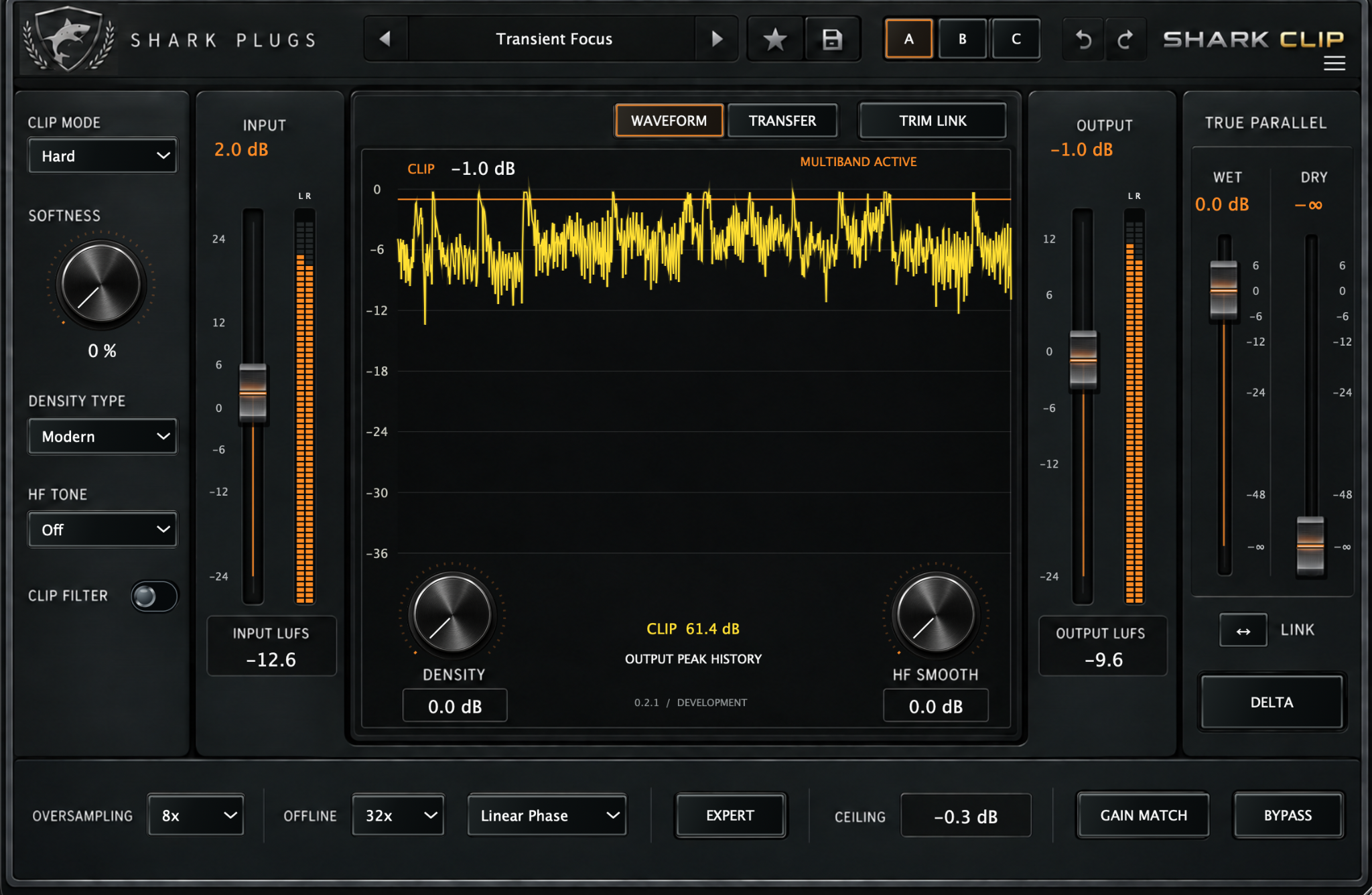
SINGLE & MULTIBAND CLIPPER
Shape peaks across the full signal, or open three bands for independent low, mid and high drive. One tactile instrument for impact, density and parallel control.
60 PRESETS · FOUR THEMES · INSTALLER COMING SOONTHE IDEA
Start with Modern, Classic, Hard or Soft Pro. Open Transfer and switch to Multiband when the music needs more direction. Shape three broad frequency regions, then blend dry, single-band and multiband processing. Gain Match, Delta and A/B/C keep comparison close.
WHAT IT GIVES YOU
Move from full-band clipping to low, mid and high drive, with individual softness, solo controls and adjustable crossovers. The illuminated transfer display makes each band visible.
Balance Dry, Single and Multi with normalized internal weights, then use the outer Wet/Dry faders for original-signal parallel mixing. Shape density and high-frequency behavior as needed.
30 original presets plus 30 Artist Inspired multiband recipes. Search, save and favorite your settings. Four themes, A/B/C and Gain Match keep the workflow personal and repeatable.
PRODUCT RESOURCES
Explore the complete workflow or get the concise product overview. The SHARK CLIP documents are ready to read and download.
A 14-page guide to every control, multiband routing, quality, meters, all 60 presets and practical listening workflows.
OPEN MANUAL →02 · PRODUCT OVERVIEWA cinematic four-page introduction to single and multiband clipping, parallel blending and the Artist Inspired collection.
OPEN BROCHURE →QUESTIONS, ANSWERED
Practical answers about multiband, blending, meters, presets and release availability.
Select Transfer, then Multiband. The switch enables three-band processing. Waveform and Transfer only change the display; multiband remains active when its page is hidden.
Dry, Single and Multi are relative weights normalized into one blend. All three at zero falls back to Multi. The internal dry signal is the clipping-stage input; the outer Dry fader uses the original latency-aligned input.
No. The complementary first-order split creates broad overlapping regions. Their unprocessed sum reconstructs the input. Solo affects only the Multi branch, and multiple band solos can be active.
They are measured input and output level histograms, alongside static per-band transfer curves. Orange identifies low, cyan mid, and gold high.
No. The 30 Artist Inspired recipes are Shark-created interpretations of musical textures. They are not artist settings, contributions or endorsements. The plugin includes 60 factory presets in total.
The ceiling is a sample-peak clamp, not a true-peak limiter. Use suitable downstream metering and limiting when reconstructed peak compliance is required.
Oversampling runs from 1x to 256x, with separate Offline quality when supported by the host. Linear Phase and Minimum Phase describe oversampling filters. Reported latency remains 512 samples; high factors cost significantly more CPU.
The manual and brochure are ready. Customer installer, signing and verified platform details will be published here as the release is finalized.
TRY IT ON YOUR MUSIC