Static, Dynamic and Spectral
Every active band can remain transparent, move from its own detector controls, or catch resonances selectively inside its frequency and Q zone.
TOOLS THAT MOVE SOUND FORWARD.
PRECISION · DYNAMIC · SPECTRAL
A modern eight-band equalizer that moves from clean correction to intelligent dynamic and spectral control—then adds optional console personality only when the music asks for it.
MANUAL · BROCHURE · FAQ READY · VST3 · AU · macOS · Windows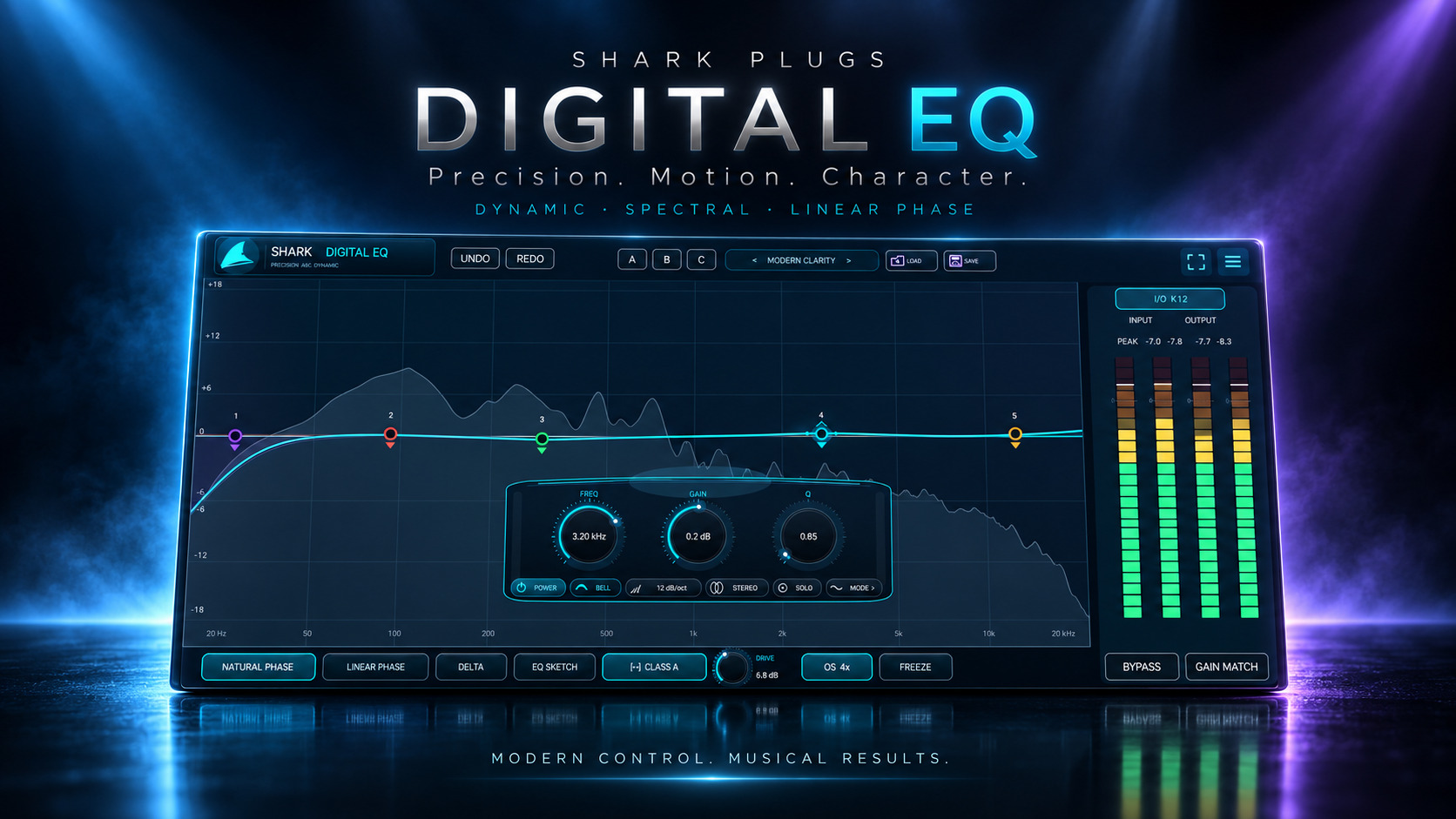
START HERE · PRODUCT VIDEO
The product demonstration will live here first—before the deeper explanation, workflows and manual.
THE IDEA
Work directly on the spectrum, turn any band into a frequency-aware Dynamic or Spectral processor, draw complete ideas with EQ Sketch and compare every move with Delta, Gain Match and A/B/C. Natural and Linear Phase keep the precision honest; four optional Console characters add color in Natural Phase.
WHAT IT GIVES YOU
Every active band can remain transparent, move from its own detector controls, or catch resonances selectively inside its frequency and Q zone.
Natural Phase stays immediate, Linear Phase provides phase-coherent FFT shaping, and Console character remains an optional Natural-Phase finishing stage with up to 16x oversampling.
EQ Sketch, Freeze, Delta, Gain Match, A/B/C, 100 factory presets, user Save/Load, readable metering and four live themes keep complex work fast.
PRODUCT RESOURCES
Explore the complete workflow or get the concise product overview. The Digital EQ documents are ready to read and download.
A complete 15-page guide to every band, Dynamic and Spectral processing, phase modes, Console character, metering, gestures, presets and troubleshooting.
OPEN MANUAL →02 · PRODUCT OVERVIEWA cinematic four-page introduction to the sound, workflow and precision-plus-personality concept.
OPEN BROCHURE →QUESTIONS, ANSWERED
Clear answers about how Clarity 2 works, where to use it and what to expect.
An eight-band precision equalizer that combines static, Dynamic and Spectral processing in one graph-based workflow, with Natural and Linear Phase, EQ Sketch, professional comparison tools, presets and optional Console character.
Both, by choice. Natural Phase with Console set to Clean is transparent. Linear Phase is the strict precision path and disables Console color. In Natural Phase, Punch, Class A, Discrete and Transformer can add restrained harmonic personality after the EQ.
Dynamic moves the complete band according to a frequency-filtered detector, threshold, signed range, attack and release. Spectral works inside the band zone and reduces individual resonant bins while preserving the static EQ gain beneath it.
Yes. Positive, zero or negative static gain remains active. Spectral mode adds adaptive resonance reduction inside that shape; enabling it does not force the band into a cut.
Draw from left to right. Each excursion away from 0 dB becomes a musical section. Depth controls gain, width informs Q, edge gestures can create cuts or shelves, and returning near 0 dB commits the section.
Use it when preserving phase relationships is more important than latency, such as parallel paths or selected mastering corrections. It reports 2048 samples. Natural Phase is the better first choice for tracking and fast musical work.
Console character is nonlinear and creates harmonics. Shark keeps the mode language honest by disabling Console, Drive and its oversampling in Linear Phase while remembering the settings for Natural Phase.
For mastering and mix bus work, start in the first half and level-match the result. The taper is deliberately subtle there. The upper quarter is reserved for clearly audible saturation.
4x is the practical default. Use 2x when CPU matters and 8x or 16x for final-quality comparisons at stronger Drive settings.
Delta auditions the time-aligned difference signal. Gain Match reduces loudness bias. Freeze holds only the analyzer; processing, meters and numerical readings continue to work.
There are 100 categorized factory presets plus user Save, Load and favorites. Clicking the Shark cycles Cyan, Purple, Red and Green live themes.
Yes. The fixed 16:10 interface supports 60%, 80%, 100%, 120% and 140% sizes, plus a host-aware fullscreen request with a large-editor fallback.
TRY IT ON YOUR MUSIC