Studio, Open and Deep
Three useful starting characters move from controlled width to an expansive field.
TOOLS THAT MOVE SOUND FORWARD.
THREE-DIMENSIONAL SOUNDSTAGE
We wanted width to feel like placement—not a phasey special effect. Dimension builds depth and movement around the source while protecting the center and low end.
VIDEO · MANUAL · BROCHURE READY · VST3 · AU · macOS · Windows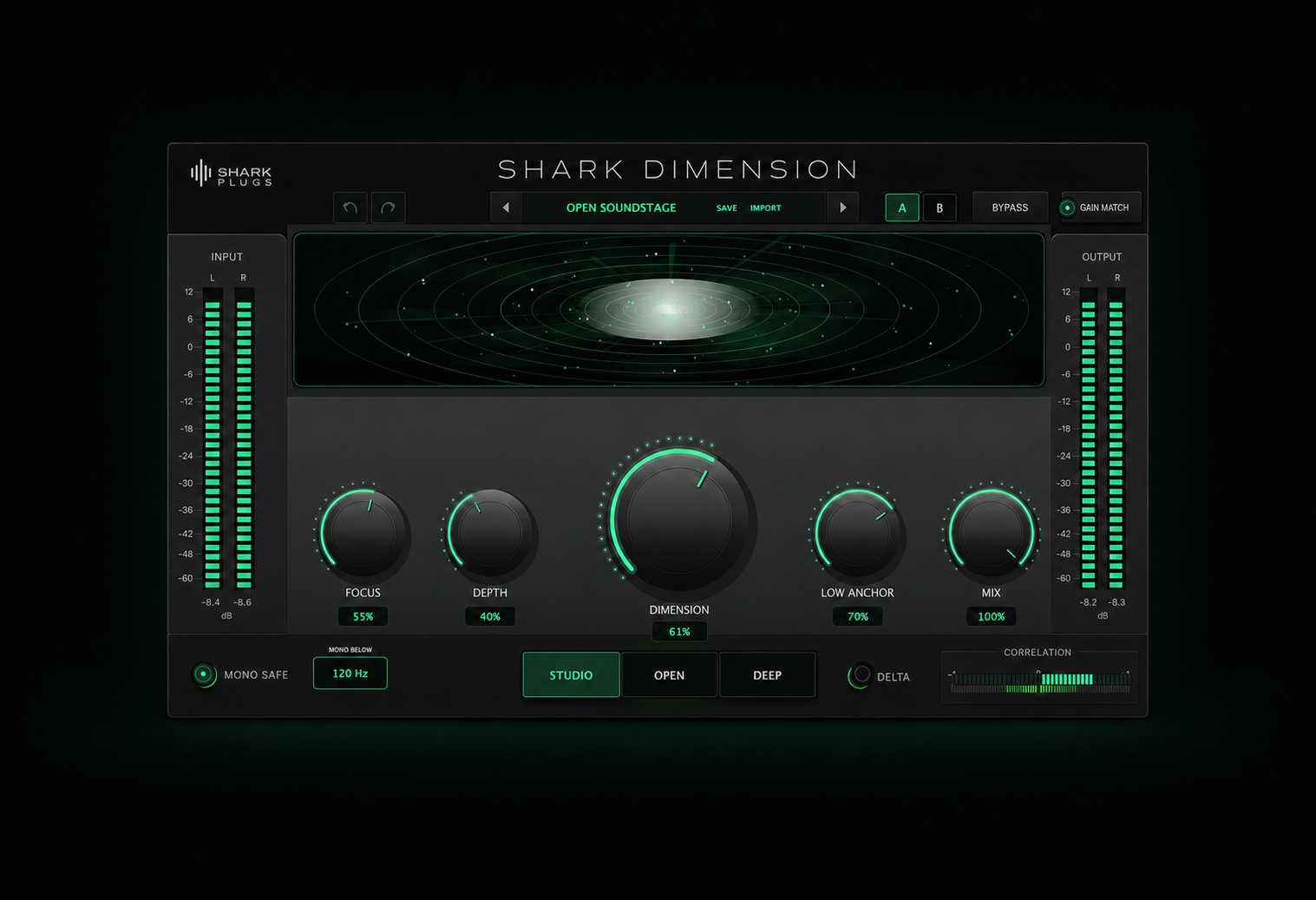
START HERE · DIMENSION IN ACTION
The quickest way to understand Dimension: hear the before and after, watch the key controls move, then explore the deeper workflow below.
THE IDEA
Choose a spatial character, then shape Focus, Depth and Dimension. The visual soundstage and correlation meter keep the result understandable while Low Anchor and Mono Safe protect translation.
WHAT IT GIVES YOU
Three useful starting characters move from controlled width to an expansive field.
Keep bass energy centered while the upper spectrum opens around it.
Focus, Depth, Dimension, Low Anchor and Mix deliver fast results without complicated routing.
PRODUCT RESOURCES
Explore the complete workflow or get the concise product overview. The Dimension documents are ready to read and download.
A friendly quick start followed by signal flow, DSP notes, engineer workflows, measurement guidance and troubleshooting.
OPEN MANUAL →02 · PRODUCT OVERVIEWA focused overview of Dimension’s sound, core features and creative possibilities.
OPEN BROCHURE →QUESTIONS, ANSWERED
Quick answers about trying, installing and using Shark Dimension.
Yes. A free trial will be available when the official installers are released, so you can test Dimension inside your own sessions before purchasing.
Shark Dimension is being released in VST3 and Audio Unit formats for macOS, and VST3 for Windows.
Dimension is designed for modern DAWs that support VST3 or Audio Units, including Studio One, Logic Pro, Ableton Live, Cubase, Reaper and other compatible hosts.
Yes. Studio mode, Focus, Low Anchor, Mono Safe and Gain Match were specifically designed to support subtle mix-bus and mastering work. Dimension can also create stronger spatial effects on vocals, guitars, synths, reverbs and individual tracks.
Dimension includes Low Anchor, an adjustable Mono Below frequency and correlation-aware Mono Safe processing. These tools help protect the center and low end as the stereo image opens. As with any spatial processor, we still recommend checking the final result in mono.
No. Gain Match compensates for changes in perceived energy so you can compare the processed and original signal more honestly. Input and Output Trim remain available for final gain staging.
Start with the product video for the quickest demonstration. Then try Open mode, raise Dimension gradually, use Focus to protect the center and Low Anchor to stabilize the bass. The full Engineering Edition manual provides deeper workflows and technical guidance.
The 16-page Engineering Edition manual is available directly from this product page. It begins with a straightforward introduction, followed by signal-flow diagrams, DSP notes, mixing and mastering workflows, measurement guidance and troubleshooting.
A dedicated Shark Plugs support channel will be available with the official release. A useful bug report should include your operating system, DAW, plugin format and the steps needed to reproduce the issue.
TRY IT ON YOUR MUSIC