Five bands. Room to shape.
Overlapping frequency ranges, bell/shelf end bands, adjustable Q and fine gain range support broad tonal moves and careful finishing. EQ Amount scales the whole gain curve.
TOOLS THAT MOVE SOUND FORWARD.
SHARK MASTERMIND EQ · MASTERING EQUALIZER
Bring weight to the lows, clear room in the mids and open the top. Five overlapping bands and one EQ Amount control make the next musical decision immediate.
66 PRESETS · THREE THEMES · DOCUMENTS READY · Release details to follow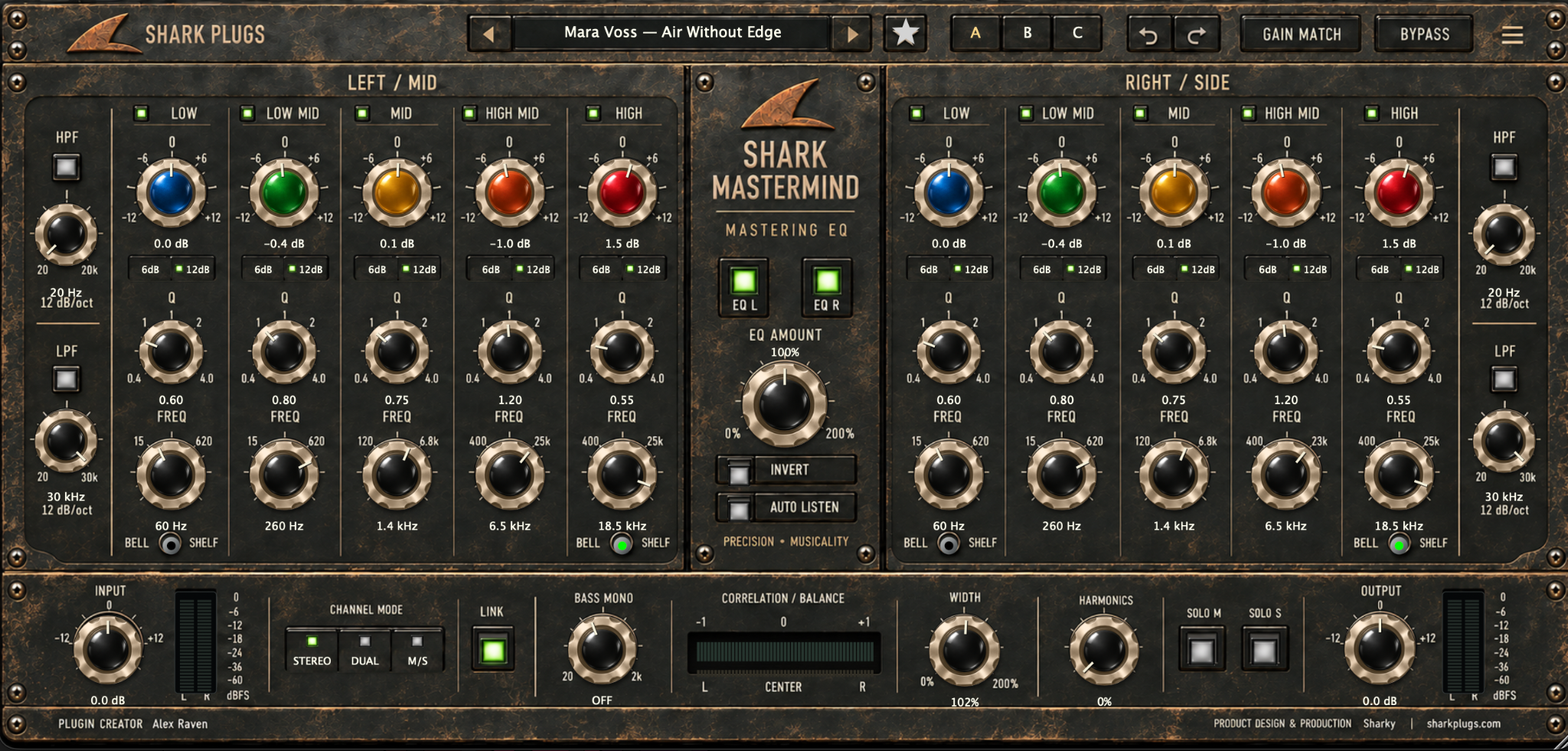
THE IDEA
Work in Stereo, Dual or Mid/Side. Shape each bank with five bands and independent high-pass and low-pass filters, refine the stereo field with Bass Mono and Width, then compare with Gain Match and A/B/C. Keep useful starting points close with 66 factory presets and one-click favorites.
ONE ENGINE · THREE APPEARANCES
Click the Shark logo in the plugin to cycle Regular, Vintage and Digital. The layout stays familiar, and the theme is saved with your session.
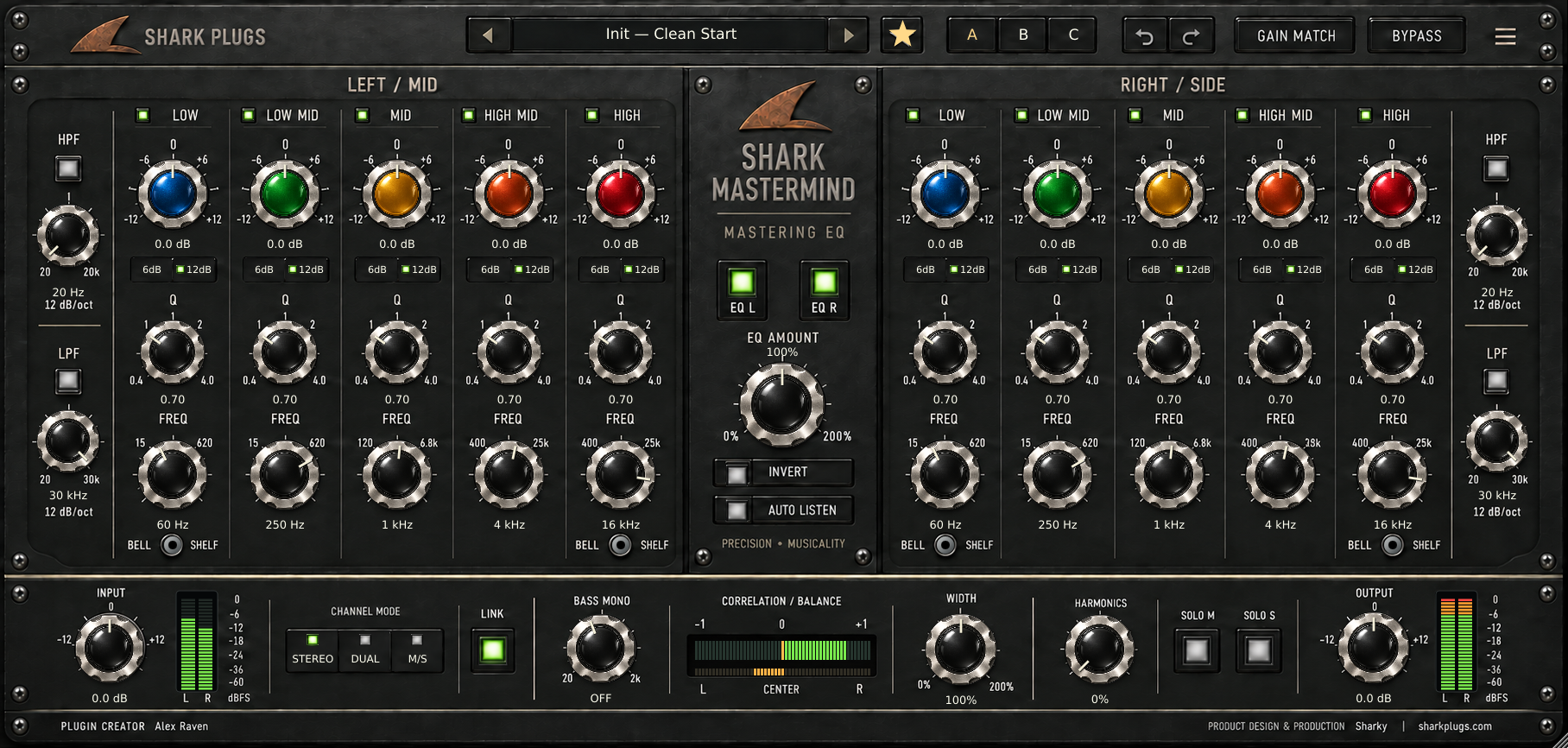
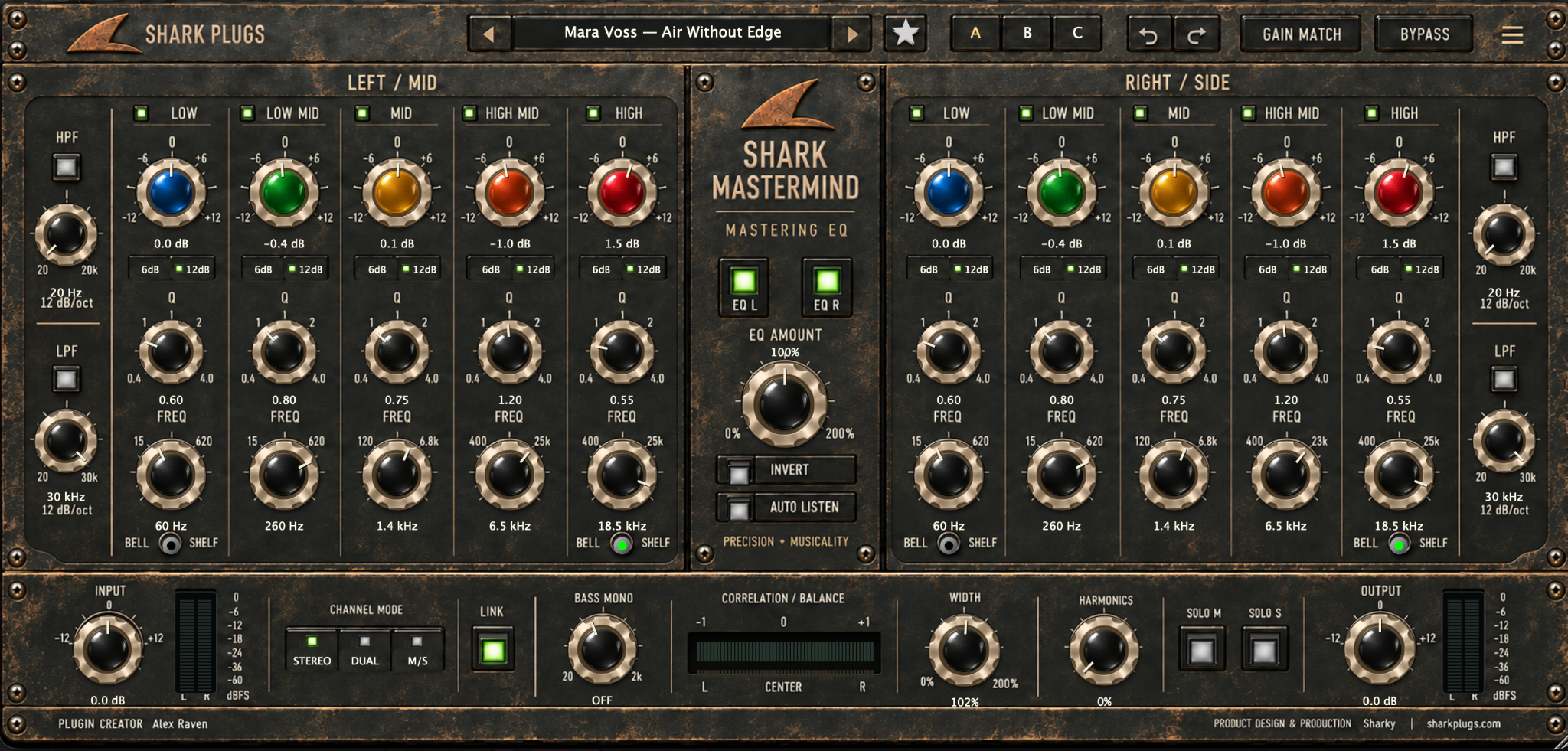
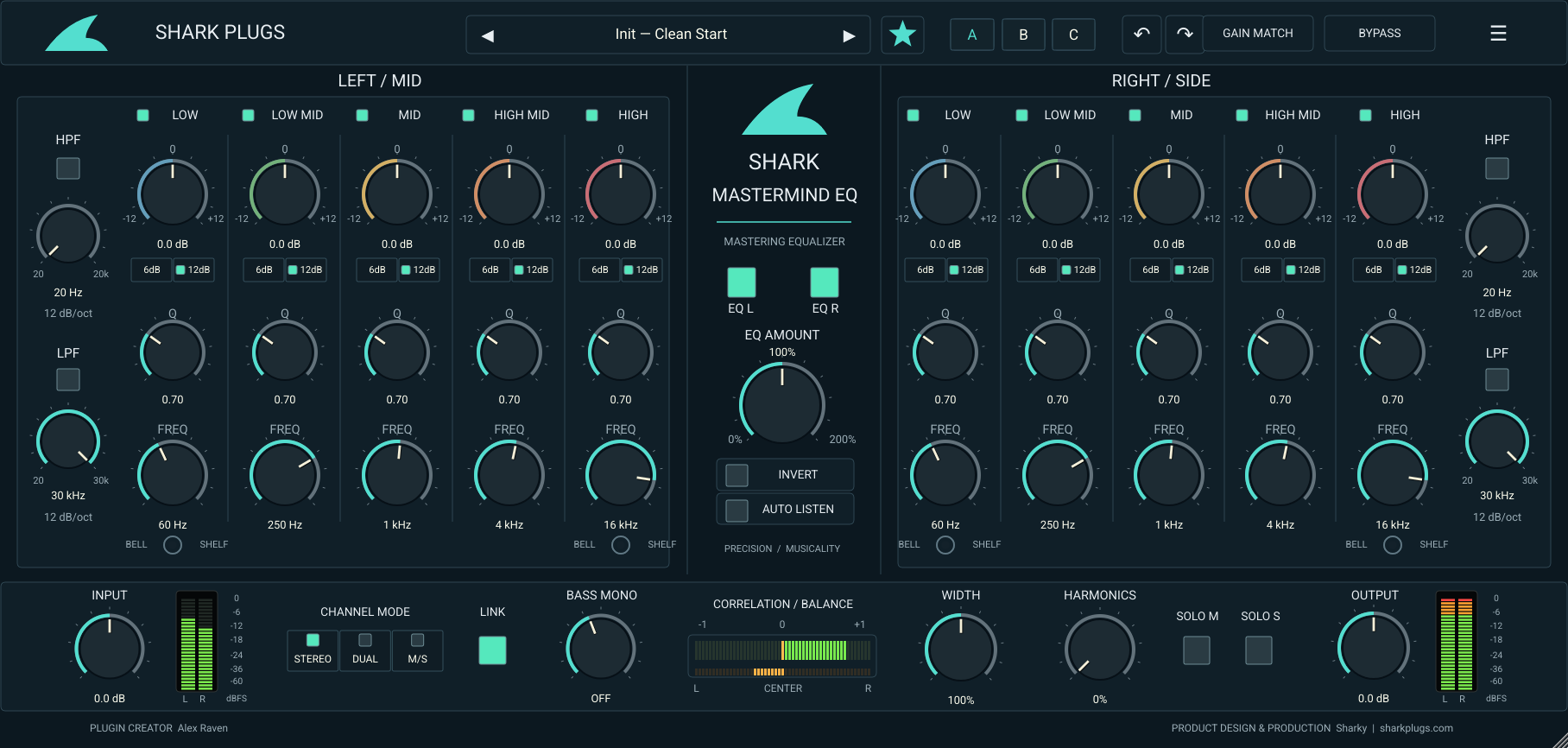
WHAT IT GIVES YOU
Overlapping frequency ranges, bell/shelf end bands, adjustable Q and fine gain range support broad tonal moves and careful finishing. EQ Amount scales the whole gain curve.
Post-input-gain stereo metering follows your trim. Green, orange and red segments show level, while full correlation and balance strips help you read the stereo field.
Explore general-purpose presets plus 25 original Shark presets grouped under five fictional creative personas. Search, save, favorite and double-click to load and close.
PRODUCT RESOURCES
Explore the complete workflow or get the concise product overview. The Mastermind EQ documents are ready to read and download.
QUESTIONS, ANSWERED
21 practical answers about controls, meters, fictional preset personas and everyday use.
A five-band equalizer with two processing banks for stereo, dual-mono or Mid/Side work. It combines tone shaping, high-pass and low-pass filters, stereo tools, harmonic coloration and a preset browser.
No. Regular, Vintage and Digital are visual looks. Click either Shark logo to cycle through them. The selected look is saved with your DAW session, separately from the sound presets.
66 factory presets: the original 41 starting points plus 25 original Shark presets organized under five fictional engineer personas. Each fictional group contains five presets.
No. Juno Vale, Cass Rowan, Mara Voss, Niko Slate and Elian North are fictional creative personas for this collection. The presets are original Shark Plugs settings, not real engineers' presets or endorsements.
Click the star beside the preset name. Click it again to remove that favorite. Open Favorites in the preset browser to find it. The star does not open the browser.
Double-click a preset row. A single selection lets you inspect the name; Load applies it while keeping the browser open. Clicking outside the browser closes it.
It measures the signal after the Input gain control and before EQ. Output is measured after processing, gain match and the plugin's bypass blend.
Green is the lower range, orange begins near -6 dBFS and the red warning lights during the last dB below 0 dBFS. These are sample-peak meters, not true-peak or LUFS meters. They are not limiters.
The upper strip fills from the center toward positive correlation in green or negative correlation in red. +1 means strongly in-phase; -1 means opposite polarity. The lower amber strip fills toward the louder side. Negative correlation is a cue to check mono compatibility.
It scales the ten band gains from 0 to 200%. It does not scale filter cutoffs, width, Input or Output. At 0%, other active processing can still change the sound.
Stereo couples bank edits in the interface. Dual allows independent left/right edits with Link off. M/S assigns the left bank to Mid and the right bank to Side; turn Link off for different Mid and Side shapes.
Stereo mode links edits regardless of Link. In Dual or M/S, turn Link off to edit the banks independently. Host automation remains separately addressable.
Click the value area under the Bass Mono knob. OFF changes to the selected frequency. It progressively removes low-frequency Side content; it is not a brick-wall crossover.
Solo M auditions Mid; Solo S auditions Side. If both are active, the output is silent. A mono signal also has no Side content to audition. Turn both solos off for normal playback.
It is an automatic energy-based comparison aid. Let it settle for several seconds, then judge by ear. It is not LUFS matching and does not guarantee equal perceived loudness.
This version reports zero latency and uses no lookahead or oversampling. Harmonics is a non-oversampled coloration control; keep it at zero for the cleanest path.
Yes. Enter a name and use Save new in the browser. Rename and Delete apply to user presets. Factory presets are protected. Your DAW session also stores the current sound, A/B/C states, selected theme, zoom and favorites.
They use the .mmeq extension in the operating system's application-data folder under Shark Plugs/Mastermind EQ/Presets. Back up that folder when moving systems.
Band and filter frequencies are internally capped at 45% of the sample rate. At 44.1 kHz, that is about 19.85 kHz, even when the displayed control value is higher.
Load Init - Clean Start. It restores neutral band gains, 100% width and EQ Amount, 0 dB Input/Output, and switches off filters, Harmonics, Bass Mono, Gain Match, Invert and solos.
Use the format supplied with your download and supported by your DAW. The current project targets AU and VST3 on Mac; check the product page for available installers and platform requirements. Do not treat a source ZIP as an installer.
TRY IT ON YOUR MUSIC