A true mastering niche
Mastering Verb protects low-end focus, softens the wet top and scales the effective wet amount for fine, transparent control.
TOOLS THAT MOVE SOUND FORWARD.
MASTERING-FIRST SPATIAL PROCESSOR
MAXI Mastering Verb turns a rare mastering technique into an immediate musical workflow: depth, cohesion and front-to-back dimension without an obvious reverb tail.
MANUAL · BROCHURE · 101 PRESETS READY · VST3 · AU · macOS · Windows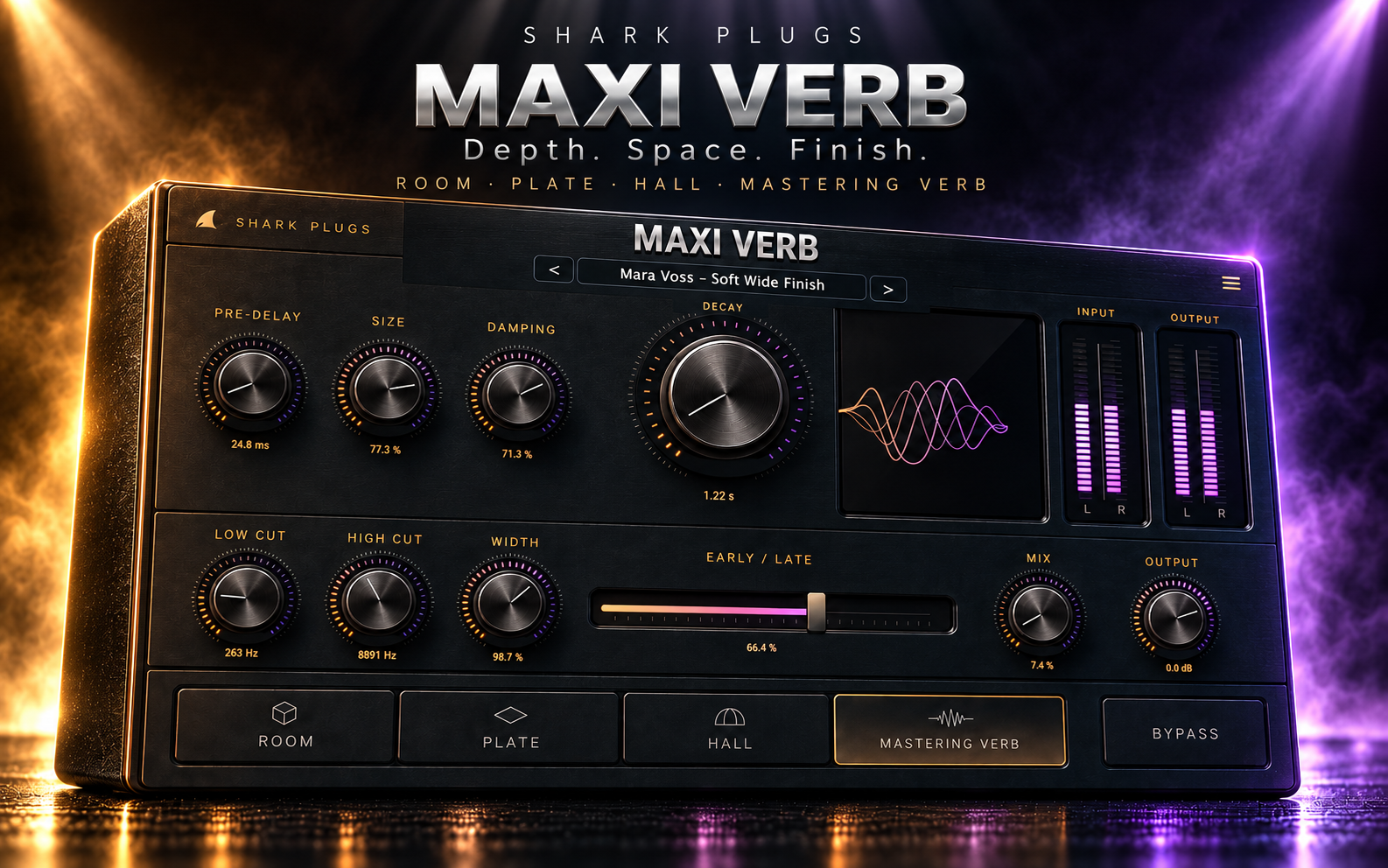
START HERE · PRODUCT VIDEO
The product demonstration will live here first—before the deeper explanation, workflows and manual.
THE IDEA
Its dedicated Mastering Verb mode internally restrains and filters the wet field for subtle whole-mix use. Room, Plate and Hall remain ready for vocals, drums, instruments and buses, while Pre-Delay, Size, Damping, Decay, Early/Late, filtering, Width, Mix and Output keep every space fast to place.
WHAT IT GIVES YOU
Mastering Verb protects low-end focus, softens the wet top and scales the effective wet amount for fine, transparent control.
Room, Plate, Hall and Mastering Verb move from immediate ambience to broad musical tails and invisible stereo-master depth.
101 presets, guest mastering signatures, favorites, trash, dual L/R metering, four themes, animated field and proportional resizing.
PRODUCT RESOURCES
Explore the complete workflow or get the concise product overview. The MAXI Mastering Verb documents are ready to read and download.
An eight-page Engineering Edition covering the complete signal flow, four modes, wet-field filtering, mastering mathematics, controls, presets, automation, workflows and quick recipes.
OPEN MANUAL →02 · PRODUCT OVERVIEWA concise three-page introduction to the mastering-first concept, four spatial modes, core controls and practical starting workflow.
OPEN BROCHURE →QUESTIONS, ANSWERED
Clear answers about mastering reverb, chain placement, subtle wet levels, stereo control and the complete preset system.
MAXI Mastering Verb is designed around subtle whole-mix ambience. Its dedicated Mastering Verb mode keeps the wet field restrained, filters unnecessary low and extreme high frequencies, and gives you finer control over very small wet amounts. The goal is depth and cohesion without making the master sound obviously reverberant.
Absolutely. Mastering Verb is the signature mode, but the plug-in also includes Room, Plate and Hall engines for vocals, drums, guitars, keys, buses and sound design. The same controls can move from tiny invisible ambience to large, expressive spaces.
A useful starting position is late in the chain, often before the final limiter so the limiter can control any additional peaks. You can also place it after dynamics if you want the spatial envelope to remain more independent. Always compare at matched loudness and choose the position that best preserves punch and clarity.
Start very low—usually around 2% to 6% in Mastering Verb mode. The mode internally reduces the effective wet gain, making the control safer for mastering. Increase it until the mix feels deeper and more connected, then back it off slightly. If you clearly hear a reverb tail, the setting may be too strong for transparent mastering.
Early / Late moves the reverb character from immediate reflection energy toward the smoother late tail. Width controls the stereo spread of the wet field only: 0% is mono, 100% preserves the natural width and values above 100% expand it. For mastering, use both controls conservatively and check mono compatibility.
MAXI Mastering Verb includes 101 factory presets, with dedicated Mastering Verb settings, fictional guest mastering-engineer signatures, Rooms, Plates, Halls, vocal and instrument spaces, drum and mix-bus presets, and an Init setting. You can favorite presets, hide unwanted entries, restore trashed presets and step through the library with Previous and Next controls.
TRY IT ON YOUR MUSIC